Global KOL Marketing Playbook
How to Choose the Right EasyKOL Creator Search Mode
Compare EasyKOL's four creator search options, and learn when to use fast historical data or a more up-to-date search.
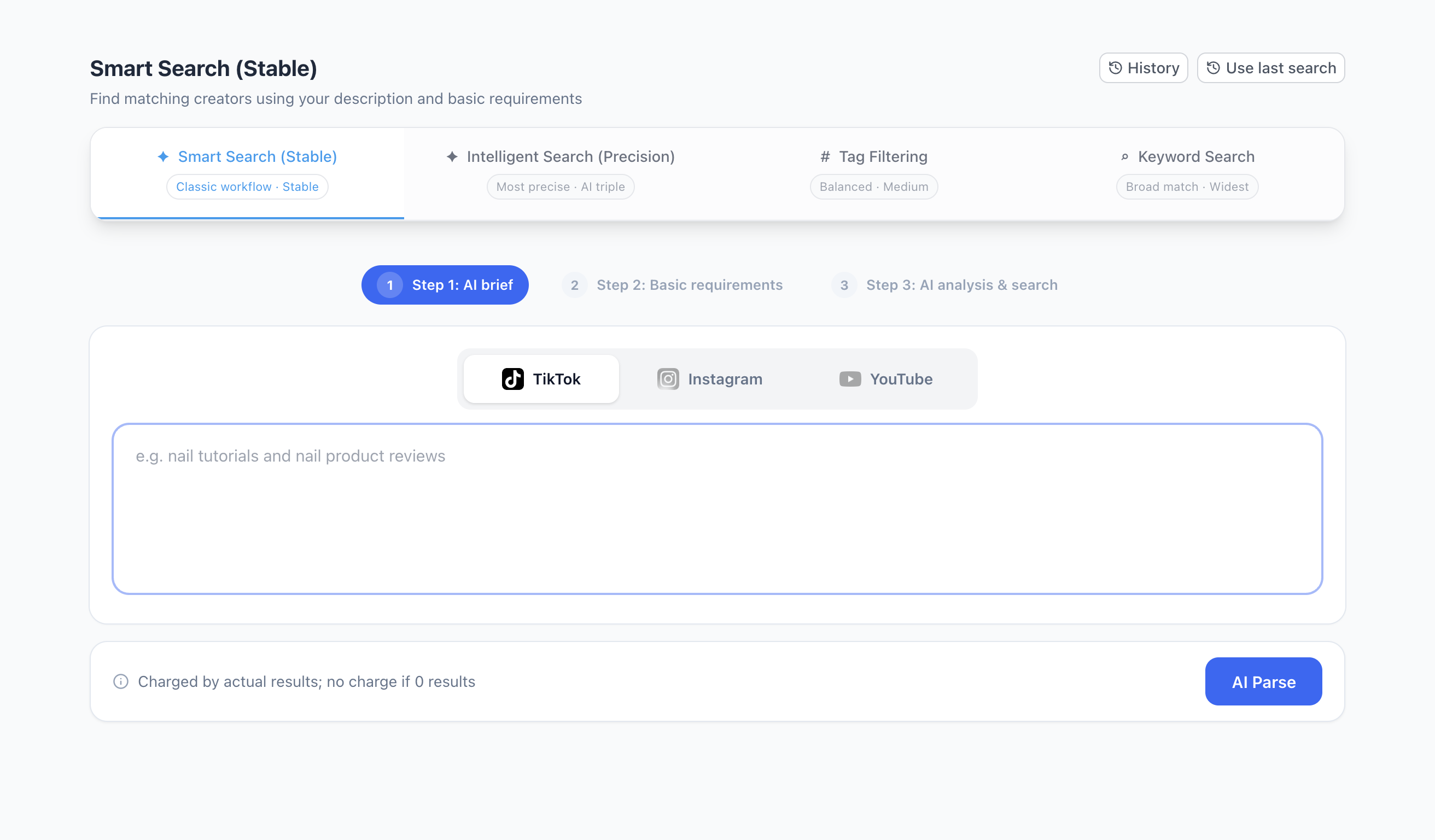
Finding the right creators is not always the same task. Sometimes you need a small, carefully reviewed shortlist; sometimes you need a broad pool to explore. EasyKOL offers four search options to help you start in the right direction.
A quick distinction: the four options describe how you search. In some search flows, a separate Fast / Precise choice determines whether to work from existing data or refresh information before applying your requirements. Labels, availability and prices may vary by platform and product version.
The four search options at a glance
| Search option | Good starting point when… | What to expect |
|---|---|---|
| Smart Search (Stable) | You want a guided, familiar search flow | Describe your needs, review the interpreted requirements and choose your settings. |
| Intelligent Search (Precision) | Your brief has nuanced content requirements and each candidate needs to be relevant | Combines different ways of matching your description, tags and keywords. Allow time to check the results. |
| Tag Filtering | You know the creator categories or attributes you want | Choose relevant tags and filters to narrow the pool directly. |
| Keyword Search | You want a broader pool in a niche and know the words creators use | Search with relevant terms; review results for context and fit. |
These are starting points, not guarantees of result quality or volume. A keyword match is not necessarily a product review, and a tag is not proof of a creator's audience or commercial fit.
1. Smart Search (Stable): a guided place to start
Describe the creator you need, then review the search requirements before running it. This is a good choice when you want to work through the search step by step and are still learning which constraints matter.
For example, start with “creators who make nail tutorials and review nail products,” then choose the platform, market and other requirements relevant to your campaign. Review the proposed conditions before searching.
2. Intelligent Search (Precision): for a more specific brief
Use this option when topic and context matter—for example, finding people who demonstrate AI software for small businesses, rather than anyone who mentions AI. It combines semantic understanding with tags and keywords to find candidates across different matching routes. Depending on the selected settings, additional review may be available; check the interface before submitting.
If your outreach budget is limited, a focused search can be a sensible starting point because you may prefer to spend time reviewing fewer, more relevant candidates. A more focused approach is not a guarantee of higher accuracy: check the actual content and the conditions for each creator. Search time and credit use depend on your settings and the number of results.
3. Tag Filtering: when you know the categories
Choose tags and other conditions when you already have a clear set of categories or attributes in mind. It can be a useful middle ground between a detailed brief and a broad list of keywords.
For example, select relevant beauty or makeup tags and then narrow by the market and follower range you need. Review creator content afterwards: a tag summarizes available data and may not describe every recent post.
4. Keyword Search: when you want to explore a broader pool
Use keywords when you know the terms, product names or topics that relevant creators might use. Try several meaningful variations, then review profiles and posts to see which matches actually suit your project.
This is useful for teams building a larger list and able to spend more time or budget on follow-up review. A broad pool can contain loosely related candidates, and a match may reflect a mention rather than the creator's main focus. More results do not automatically mean more suitable partners.
Fast or Precise: a separate choice in supported flows
Some flows offer a choice between using existing historical data and a more up-to-date search that refreshes information before applying the requirements:
- Fast: a practical choice when speed and building a larger initial pool matter. It uses existing data, so profile metrics can differ from current platform values; review important candidates before outreach.
- Precise: a practical choice when current metrics matter and you can wait longer for verification. Refreshes and checks depend on platform availability; a fresh metric does not by itself prove content or commercial fit.
Fast results are a starting pool for review: the historical search path does not individually assess every creator with AI. Actual timing, quota and features depend on the flow and current settings shown in the product.
Which should I try first?
If you are new to EasyKOL, start with Smart Search (Stable). For a nuanced brief and a smaller outreach budget, try Intelligent Search (Precision) and review the shortlist carefully. If you know the category, try Tag Filtering. If you want to explore a larger field and can review more candidates, try Keyword Search.
Already have creators you like? Read how to find more creators from your existing shortlist, or tell us your requirements and ask about the assisted trial.
Chat with us on WhatsApp